
Step 1: Register or Log In to PinDuoDuo
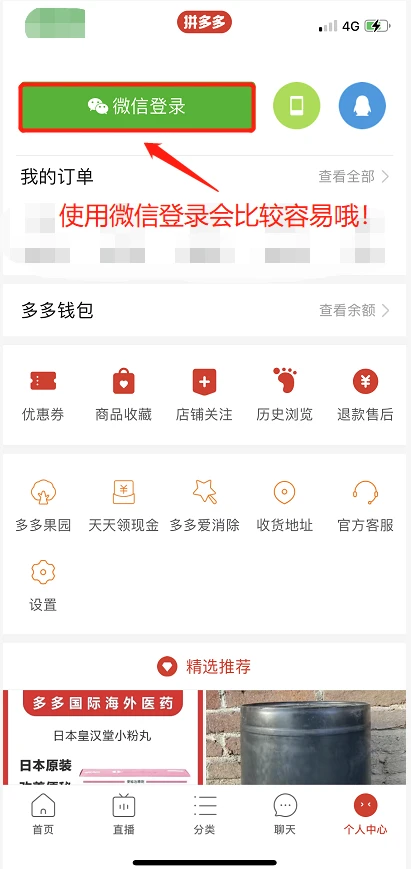
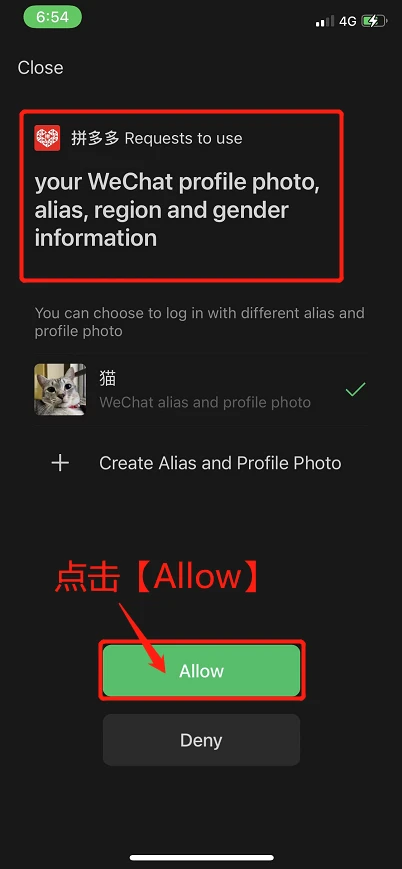
Register or log in to PinDuoDuo first (prefer to use WeChat to log in).
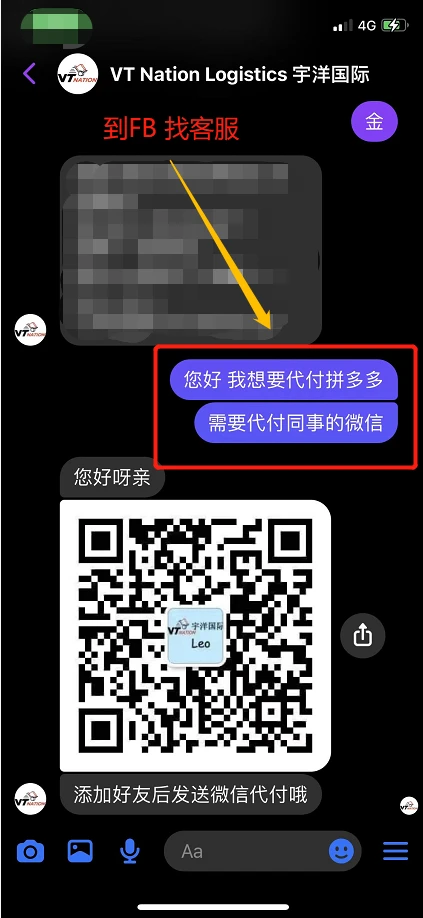
Step 2: Contact VT Nation Facebook
Go to VT Nation’s Facebook to inform customer service that you need to use the Pay for Me service for PinDuoDuo.
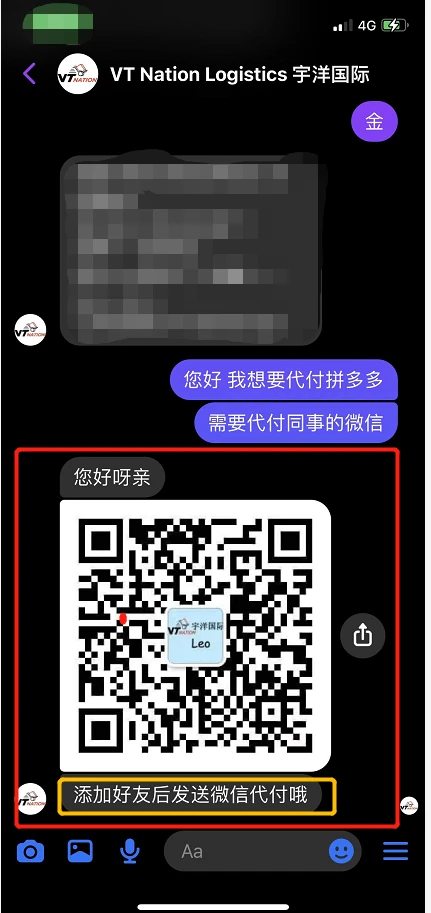
Step 3: Get WeChat Account for Pay for Me
Get a WeChat account that is in charge of Pay for Me services.
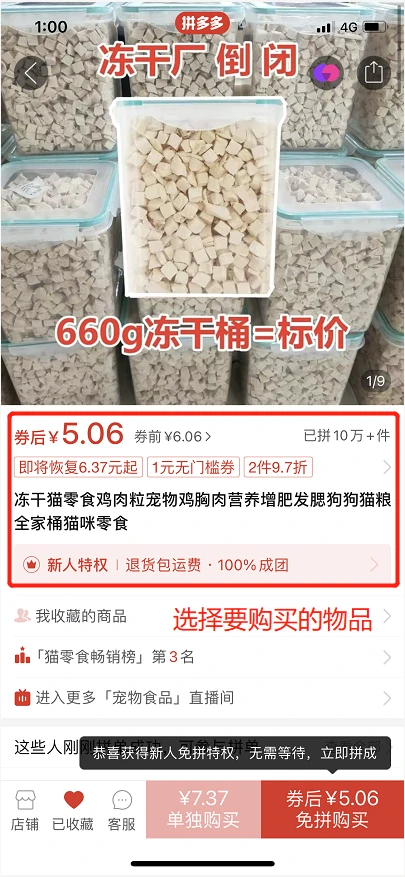
Step 4: Select Your Item on PinDuoDuo
Go to PinDuoDuo to select the item you want to buy.
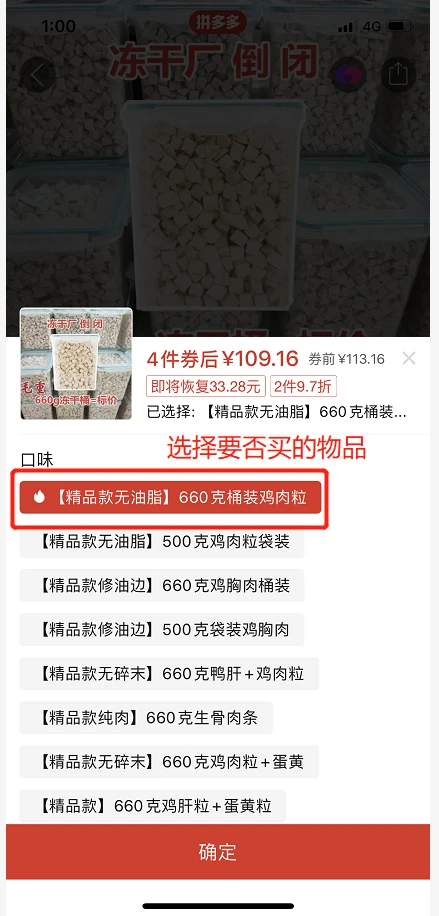
Step 5: Confirm Quantity
Confirm the quantity, click Confirm.
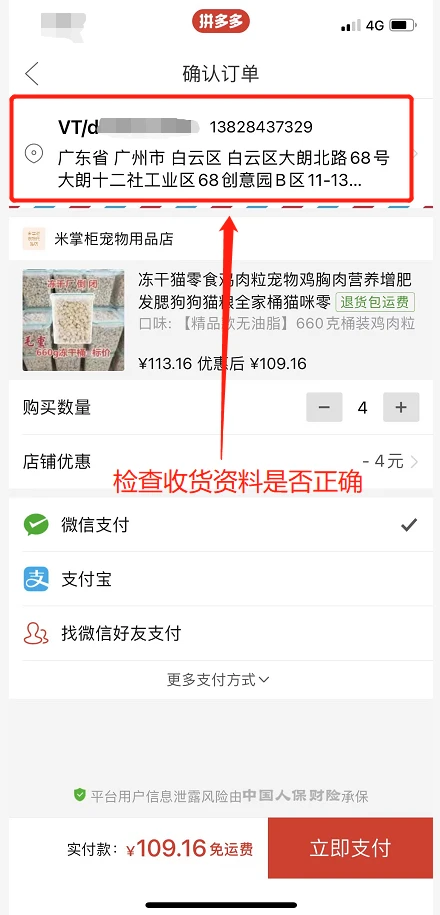
Step 6: Check Delivery Address
Remember to check if the delivery address is our latest warehouse address.
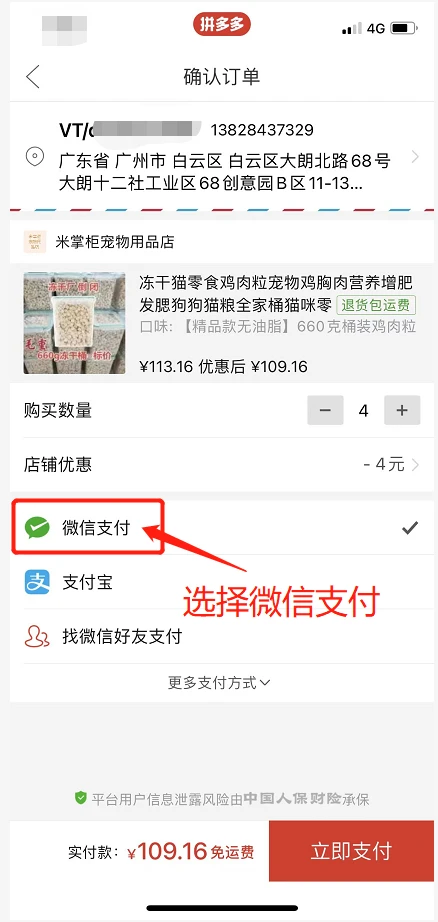
Step 7: Click Pay in WeChat
Click Pay in WeChat.
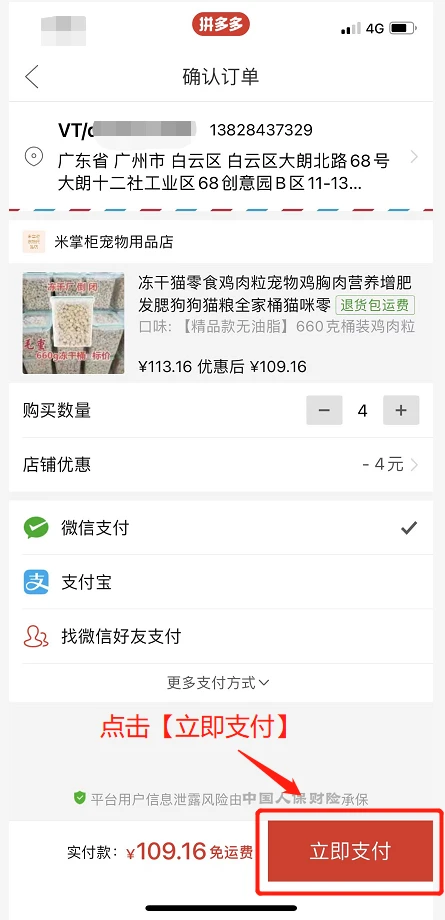
Step 8: Click Pay Now
Click Pay Now.
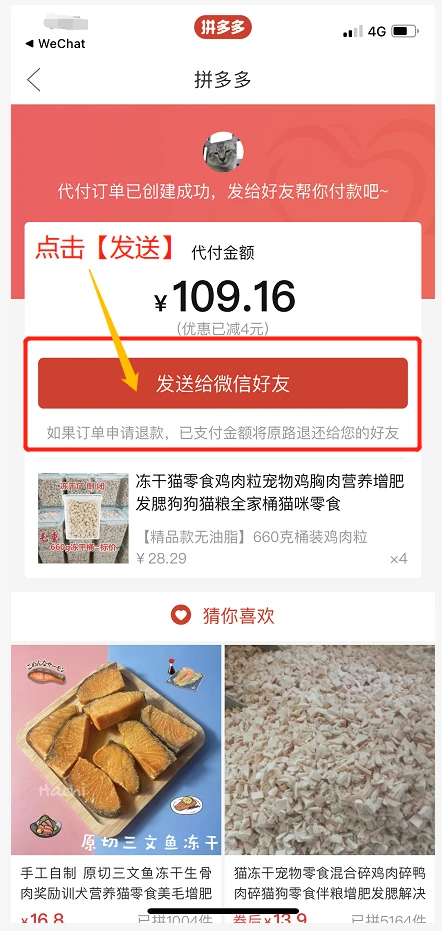
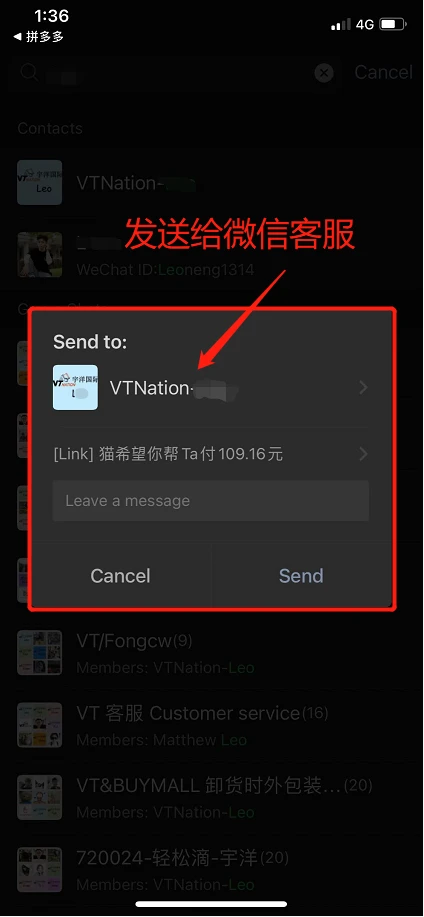
Step 9: Send to WeChat Friends
Click Send to WeChat Friends.
Step 10: Send Payment Application
Send the payment application to the customer service in charge of the payment.
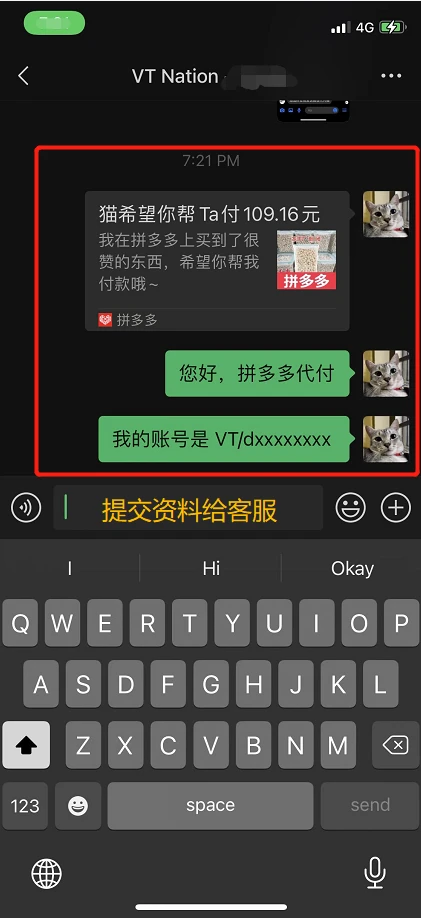
Step 11: Send VT Username
Send your VT username to customer service (e.g., VT/xxxxx).
Step 12: Notify VT Nation Facebook
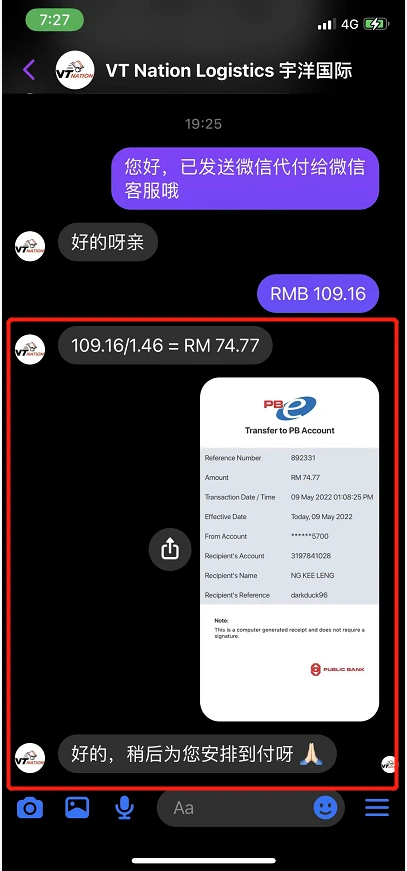
Go back to VT Nation’s Facebook to notify customer service that you already submitted a payment request to the WeChat customer service.
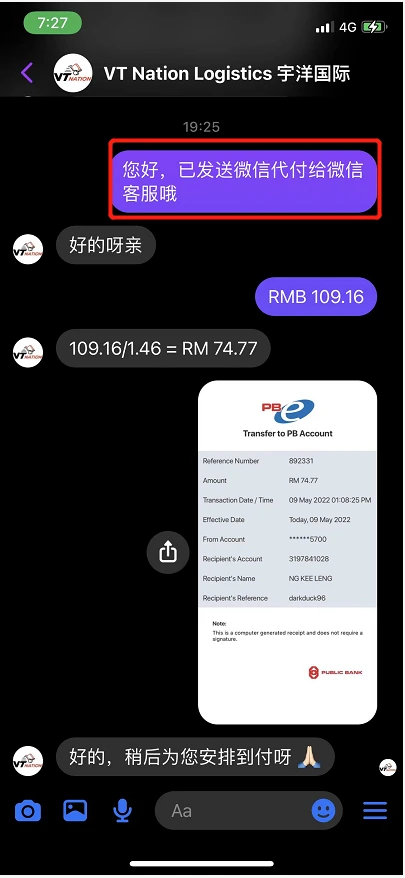
Step 13: Make Payment and Wait
Make payment and be patient while we pay RMB to the seller.
Once your payment has been successfully processed and your items arrive at our warehouse, you are ready to ship them home. If you want your parcels delivered as quickly as possible, check out our 8 Fastest Freight Forwarders in Malaysia guide. Depending on your package size and budget, you can easily choose between our fast China to Malaysia Air Freight options or cost-effective China to Malaysia Sea Freight services. If you opt for sea transport, you can also read our guide on How Long Does Shipping From China To Malaysia By Sea Take? to plan your delivery schedule.